Law firms · ROI CaseOn
Private AI for law firms - using AI without sending client files to the cloud
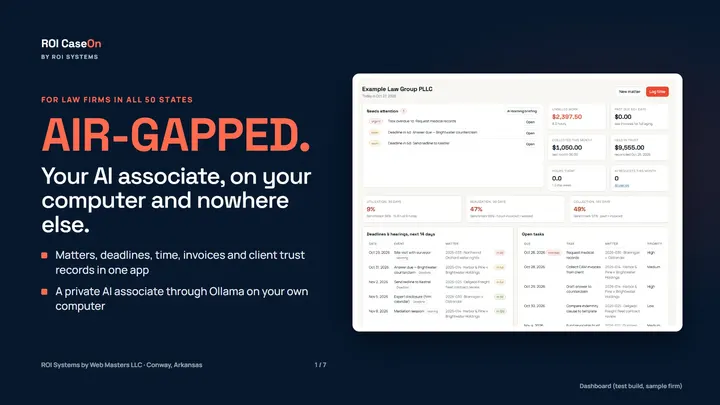
Lawyers want the drafting speed of AI. What stops most small firms is two questions: where do the client files go, and what happens if the AI makes something up? Here's how to think about both, and how ROI CaseOn answers them.
What the rules ask of you
The ABA's Formal Opinion 512 (July 2024) addresses lawyers' use of generative AI. It ties AI use to duties lawyers already have, including:
- Competence (Model Rule 1.1): understand enough about the tool to use it well, and check its output.
- Confidentiality (Rule 1.6): know where client information goes before you put it into a tool, and get informed consent where the rules require it.
- Supervision (Rules 5.1 and 5.3): set firm policies, and supervise the people and tools doing the work.
- Fees: bill honestly for time actually spent.
Your state bar may have its own guidance too, so read it alongside the ABA opinion.
Where the files go: local versus cloud
Most AI tools run in the cloud: you upload the document, and it's processed on someone else's servers. That raises confidentiality questions you have to answer, client by client.
Local AI runs the model on your own computer. Tools like Ollama make that practical on a capable office computer; how fast it runs depends on the computer and the model you choose. The client file never leaves the building to be processed, which turns a hard confidentiality question into a much simpler one.
ROI CaseOn's AI associate runs on your own computer through Ollama by default. A cloud AI is optional, and you're warned twice before anything is sent.
Verify every citation before you file
Courts have sanctioned lawyers for filing briefs with citations an AI invented. The best-known case is Mata v. Avianca (S.D.N.Y. 2023), where the court sanctioned attorneys over AI-fabricated cases. The fix is a routine, not a better model:
- List every citation in the draft.
- Open each one at the source.
- Confirm it exists, says what the draft says, and is still good law.
- Keep a record of what you checked.
ROI CaseOn builds that routine in. Every citation in a draft is listed with a link to the source, along with a log of what you verified.
The rest of the practice in the same place
ROI CaseOn also keeps matters, conflicts, deadlines, time, invoices and a client trust ledger that cannot go negative, with a three-way reconciliation report. It has 111 templates and 49 clauses adapted to your state, contract review against a 28-clause checklist, and links to each state's official code, courts, civil rules and ethics rules. Each user gets a passphrase and a role, and every change is recorded.
One key covers the whole firm and every device, with no per-user fee.
Price: $197 for 30 days or $1,970 for a year, one payment, no automatic renewal. You read and sign the license agreement before you buy. The 7-day demo is free in your browser.
This post is general information, not legal advice. Check your state's rules and ethics opinions for your own practice.